The networking tool I wanted
didn't exist,
so I built it.
Contacts log themselves from a voice note. Follow-ups schedule automatically. And when it's time to reach out, your inbox already has a draft written in your voice.
The part of networking that breaks isn't the meeting. It's the 72 hours after: you meant to follow up and didn't, you forgot the colleague they mentioned, a warm contact went cold because nothing reminded you until it felt awkward to reach out.
But there's a second, quieter problem. Even when you do keep up with people, your network is stored in scattered notes, faded memory, and LinkedIn connections you couldn't describe without looking them up. You know your network exists. You just can't use it. When an opportunity comes up, you scroll and guess. When you need an intro, you try to remember if you know anyone. It shouldn't work this way.
You talk. It structures.
After a coffee chat or event, you dump 60 seconds of voice notes, the way you'd tell a friend about someone you just met. The system parses it into a full structured contact record and schedules your follow-up. No forms. No fields to fill.
Quick note: Priya, David, and their employers are all made up. If you're a real Priya or David in CRE reading this, hi, you're not in this, I promise. I wanted something that felt true to life, not a transcript of a real conversation.
"Met Priya Nair at the ULI Toronto Young Leaders event Thursday evening. She is an analyst at Halford Group doing industrial market research, working on a report about AI adoption in commercial real estate. We talked for about 20 minutes. She asked if she could send me some questions for her research. She mentioned a colleague named David Park on the residential side at Whitmore. Should follow up with Priya next week, maybe once the context template article is live."
When Priya mentioned David, I never wrote his name down. I would have forgotten him entirely. The system created his skeleton record automatically at the moment of capture, with the referral context pre-filled. That thread is now alive whether or not I remember to act on it.
That's what makes this feel different from a spreadsheet. The referral chain is preserved at the moment of telling, not at the moment of remembering.
Ask your network a question.
The tracker isn't just a reminder system. It's a context layer Claude can actually reason over. When you've got a specific goal, like an internship search, a career move, or a project that needs collaborators, you just ask a plain question in the terminal (your normal words, not code). It pulls your contact history and surfaces specific, actionable answers.
Follow-up logic that actually makes sense.
No AI magic. Flat rule: next follow-up date is last contact plus interval. The interval scales with how warm the relationship is. Checking in with someone you met once should not feel the same as checking in with a strong contact you've been building for a year.
| Relationship | Default interval | Logic |
|---|---|---|
| New | 5 – 14 days depending on how you met | Event / Conference = 5d · Coffee Chat = 7d · Intro = 10d · Cold outreach = 14d |
| Warming | 21 days | You've had at least one good exchange. Stay present without overdoing it. |
| Strong | 45 days | Real relationship. Doesn't need constant maintenance, but does need some. |
| Dormant alert | Flagged at 60 days | Warming or Strong contacts with no interaction in 60 days surface in the weekly digest. You decide whether to re-engage. |
Relationship strength is always your call, not the system's. It tracks recency and logs interactions. It won't label a contact "Strong" because you emailed them twice. That's yours to decide.
What's actually in here.
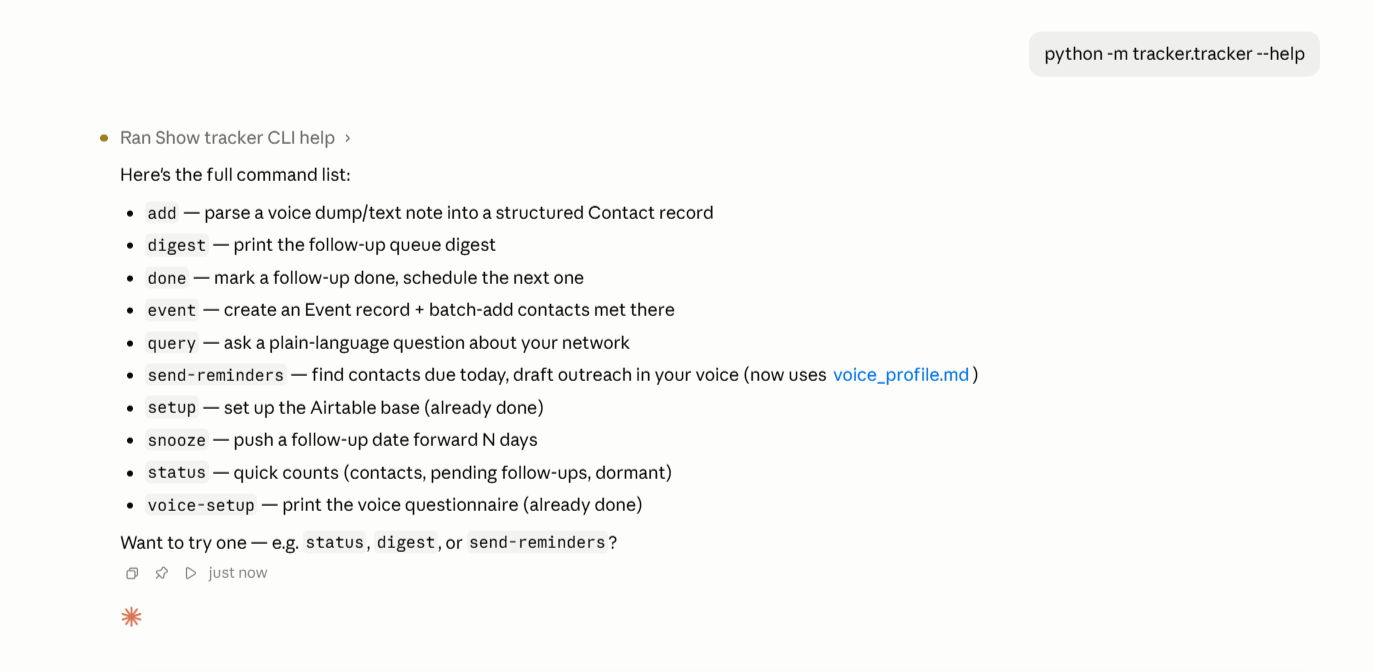
Each of these is a command you type into your terminal (or the terminal panel inside Claude Code) and press Enter. The code in the left column is what you type. The description on the right is what happens.
add "..."
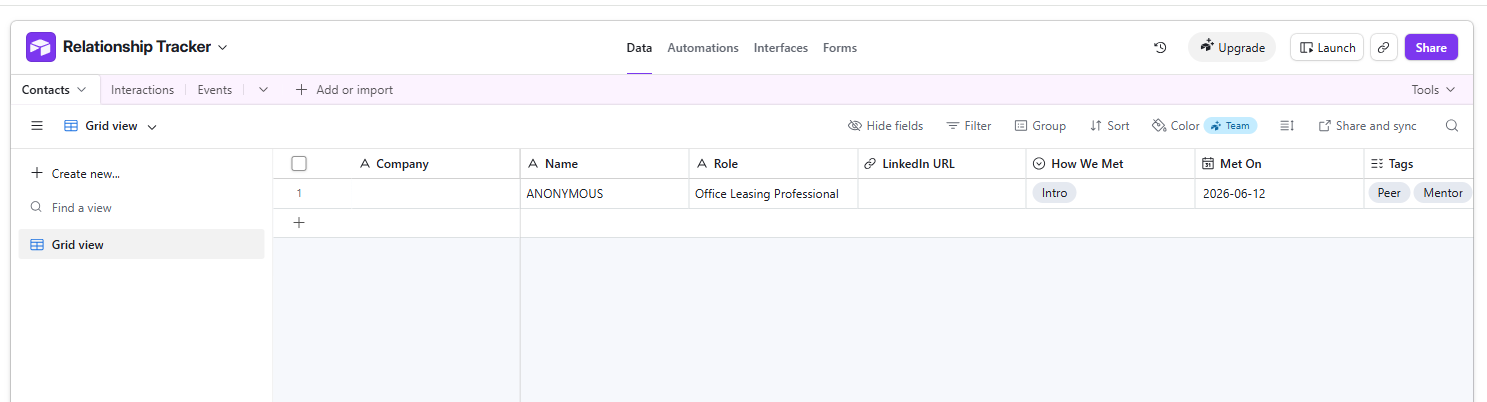
Talk about someone you just met. It parses the details, creates the Airtable record, and schedules your follow-up.
query "..."
Ask a plain question about your network and get a specific, reasoned answer back.
digest
Print today's follow-up queue: who's due, why, and dormant contacts that need attention.
event "Name"
Create an event, then log every person you met there in one session. All linked automatically.
done "Name" --notes "..."
Mark a follow-up complete. Add a note about what you sent. The next follow-up schedules itself.
send-reminders
Find everyone due today, draft a message for each person using Claude, and send the whole thing to your inbox.
voice-setup
Walk through nine questions about how you actually write. Claude turns your answers into a voice profile. Every future draft uses it.
setup --create
Build the full Airtable base and all its tables automatically. Nothing to set up by hand.
From zero to first contact in one sitting.
There's a plain-English setup guide that walks through every single step: what to install, what to paste, what each command does, and what to do if something breaks.
You don't need to know Python. The guide handles it. Open the setup guide.
secrets.env. No extra plugins to install. The companion guide below walks you through getting that token in about five minutes.config/secrets.env in any text editor (eek, I know — but it's genuinely just a plain text file, like a notepad. You're pasting two values in and saving). One is your Anthropic API key from console.anthropic.com, the other is your Airtable token from step one. The companion guide shows you exactly where to find both.python -m tracker.tracker setup --create. That's the whole step. It builds your full Airtable base automatically. You don't configure anything by hand.python -m tracker.tracker add "Met [name] at [event]...". You'll see the parsed record appear right there.On the day you're due to reach out,
your inbox already has a draft.
The tracker knows when each follow-up is due. Set it to run every morning, or just trigger it manually when you want it, and it finds everyone due that day, drafts a suggested message for each person using Claude, and sends everything to your inbox in one email. No switching between apps, no blanking on what to say. Each draft is specific to that person and what you actually talked about.
The drafts get better when the tracker knows how you actually write. Run voice-setup in your terminal and it'll walk you through nine questions: how you open a message, what phrases make you wince, how formal you actually are. Claude turns your answers into a voice profile. Save it once. Every future draft sounds like you, not like a generic follow-up.
What it looked like when I actually ran it.
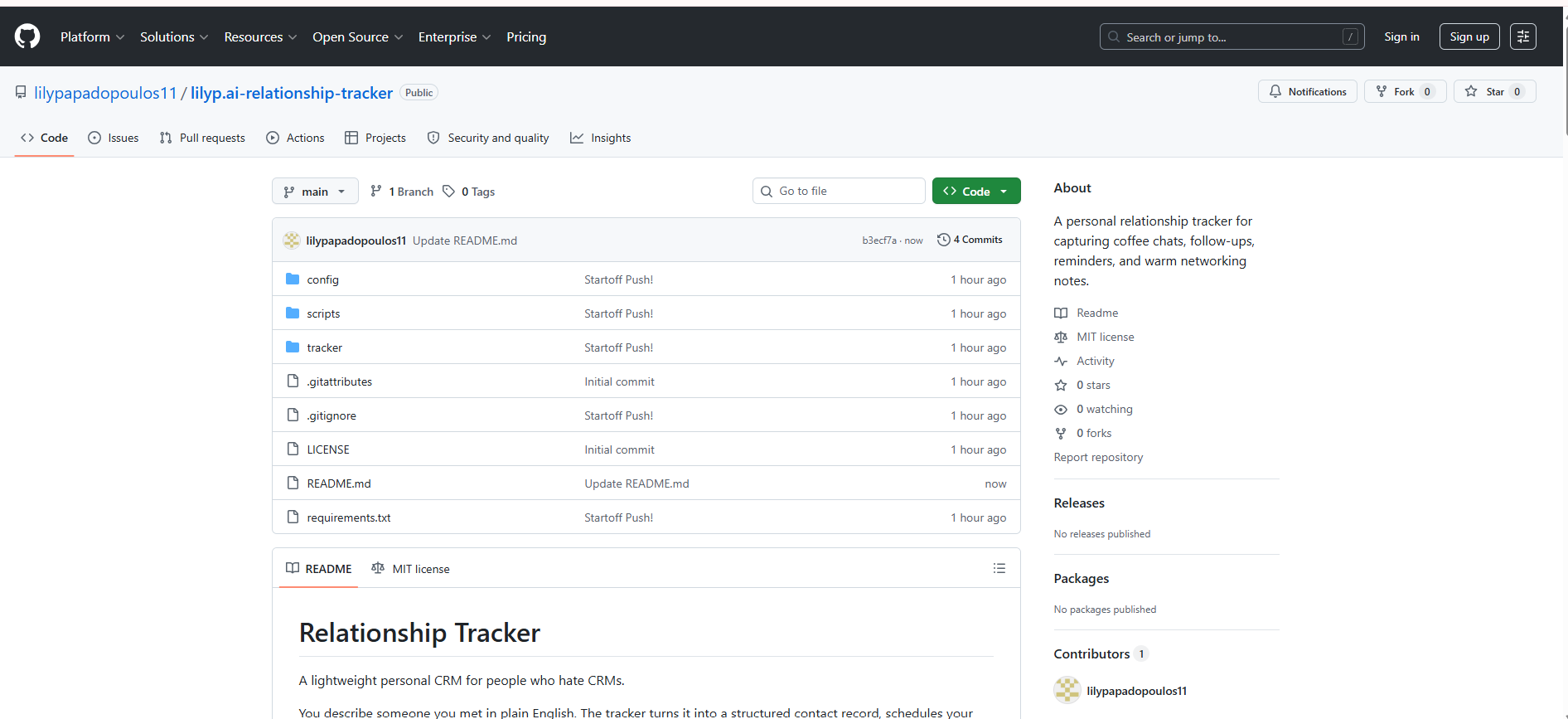
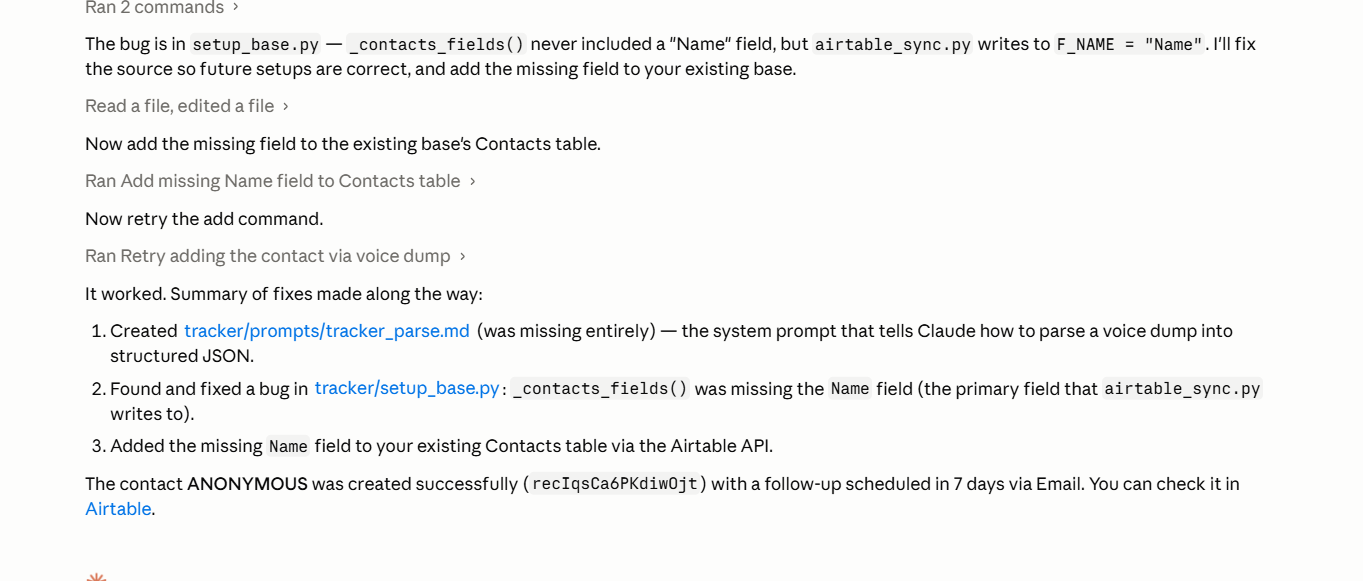
This build sat finished for months before I ran the setup myself, start to finish, the way a stranger landing on this page would. A few things broke along the way (the setup guide covers what, and the fixes). It still worked. Here's what that run actually looked like.
Take the whole thing.
It's yours to run.
The full module, the parsing prompt, the Airtable schema, and the setup command. Clone it, adapt it, make it yours.
View on GitHub